Requirements: Switch between different JDKs, MVN Versions, and Docker hubs on call
How? We will use Aliases
Prerequisites: Cygwin installed on windows (You can also do this on Linux – though you wont need Cygwin then)
Lets do it:
Install multiple JDK versions,
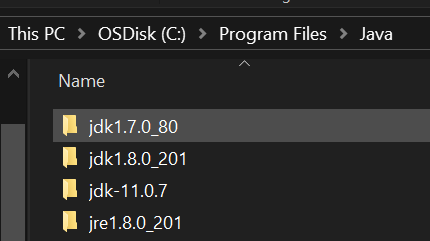
Install your different MVN versions

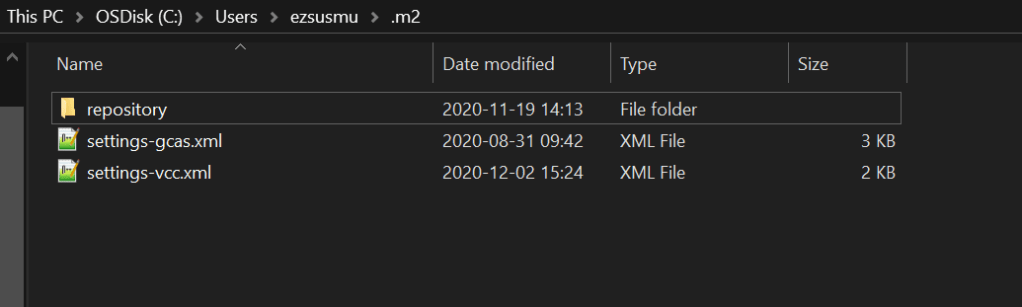
Create 2 different settings.xml file. Each of these files represent project specific repo details. Take note that I dont have settings.xml right now.
Install Cygwin:
Read about what .bashrc file is before continuing.
- Find your .bashrc file, mine is located under C:\cygwin64\home\<username>
- Update your .bashrc file and add the below code lines to it. Dont remove anything from the file.
- You should replace <username> and <password> with your username and password
- Both Mavens are installed under C:/, you can install them anywhere you want, make sure you update the path in .bashrc file.
- Take note of where your .m2 is, default is under Users/<username>/.m2
- Make a copy of your existing settings.xml file
- Each alias will take the custom settings-xzy.xml file and overwrite the main settings.xml that your IDE and your MVN installation look at.
export user=<username>
export password=<password>

#Defaults
export DEFAULT_PATH=$PATH
export MAVEN_3_5_2_HOME=/cygdrive/c/apache-maven-3.5.2
export MAVEN_3_6_3_HOME=/cygdrive/c/apache-maven-3.6.3
export SHELLOPTS
set -o igncr


export USER_HOME="/cygdrive/c/Users/$user"


alias uca='
PS1="\[\e]0;\w\a\]\n\[\e[32m\]UCA_\u@\h \[\e[33m\]\w\[\e[0m\]\n\$";
export JAVA_HOME="/cygdrive/c/Program Files/Java/jdk-11.0.7";
export M2_HOME=$MAVEN_3_6_3_HOME;
export PATH=$M2_HOME/bin:$DEFAULT_PATH;
export PATH=$JAVA_HOME/bin:$PATH;
cp $USER_HOME/.m2/settings-gcas.xml $USER_HOME/.m2/settings.xml;
docker logout;
docker login --username $user --password $password first.docker.hub;'


alias vcc='
export PS1="\[\e]0;\w\a\]\n\[\e[32m\]VCC_\u@\h \[\e[33m\]\w\[\e[0m\]\n\$";
export JAVA_HOME="/cygdrive/c/Program Files\Java\jdk1.8.0_201";
export M2_HOME=$MAVEN_3_5_2_HOME;
export PATH=$M2_HOME/bin:$DEFAULT_PATH;
export PATH=$JAVA_HOME/bin:$PATH;
cp $USER_HOME/.m2/settings-vcc.xml $USER_HOME/.m2/settings.xml;
docker logout;
docker login --username $user --password $password second.docker.hub;'
Restart your Cygwin and startup a new window for the .bashrc file to take effect.
Lets test the aliases:
$vcc


$uca


Thats it, easy! You can have as many aliases as you want, and as many versions of Java/MVN as you want for your different projects.
IDEAs such as Eclipse/Intellij allow you to have custom Project/Workspace settings, so I dont have t cover that.
 JCompetence AB